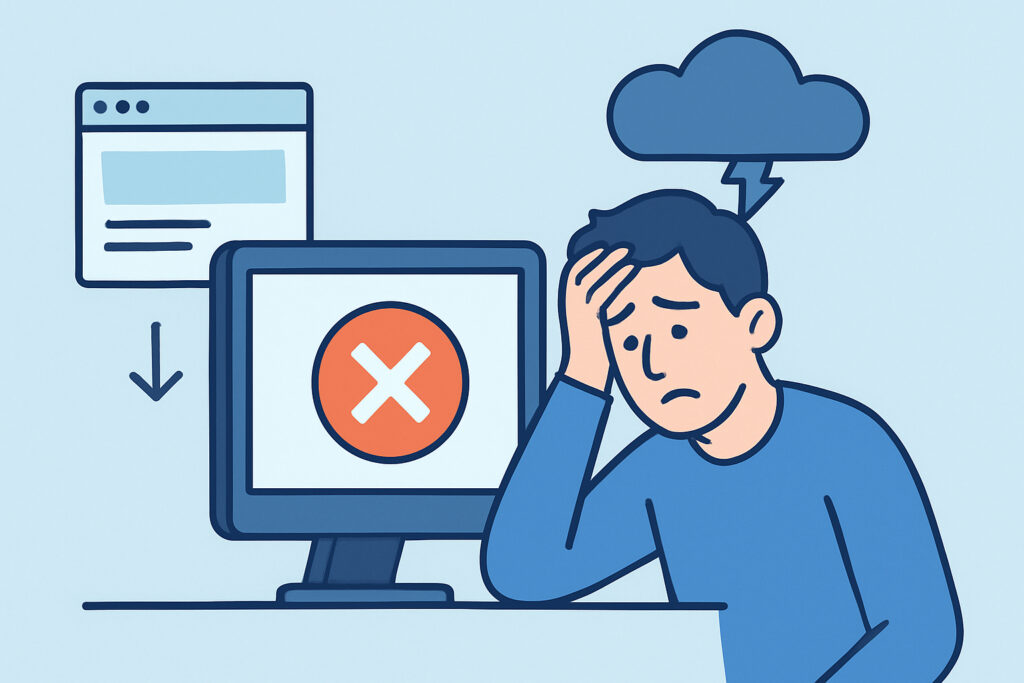
Small websites don’t get the six-figure infrastructure budgets that enterprise sites do, and that gap is exactly why a two-hour outage can do more relative damage to a five-person shop than to a company with a dedicated ops team. Downtime hits every website the same way technically, but the fallout is never distributed evenly – smaller operations absorb a much bigger share of the pain, and understanding why is the first step toward protecting a site that doesn’t have a safety net to fall back on.
Why scale works against small sites during an outage
Large companies typically run redundant servers, failover systems, and on-call engineers who get paged the moment something breaks. A small business site, more often than not, runs on a single shared hosting plan or a modest VPS with no redundancy at all. When that one server has a problem, there’s no backup path to reroute traffic – the site is simply gone until someone notices and fixes it.
The financial math is also different. A large retailer losing $10,000 during an hour of downtime might barely register against daily revenue. A local shop or freelance consultant losing a single $10,000 client inquiry because the contact form was down for a day can mean the difference between a good month and a bad one. The dollar amounts are smaller, but the relative damage is often far worse.
The detection gap that makes things worse
Enterprise teams usually find out about an outage within seconds through internal alerting. Small website owners frequently find out from a customer email, a bounced payment, or worse – they don’t find out until they happen to check the site days later. This lag, sometimes called the detection gap, is where the real cost of downtime for small businesses gets baked in: it’s rarely the outage itself that hurts, it’s the hours or days it went unnoticed.
A common scenario looks like this: a solo developer launches a client’s new booking page on a Friday afternoon, then logs off for the weekend. A misconfigured plugin update Saturday morning silently breaks the checkout flow. Nobody catches it until Monday, by which point two days of booking requests never came through, and the client is asking uncomfortable questions about what happened.
Busting the myth that small sites don’t need real monitoring
A persistent misconception is that uptime monitoring is only necessary once a site reaches a certain size or revenue level – that a small blog or a local business page is too low-stakes to bother with. This gets the risk backwards. Small sites are actually more exposed, not less, because they lack the infrastructure and staffing that catch problems automatically. The smaller the operation, the more a single missed alert costs relative to everything else going on that week.
The reality is that a basic monitoring setup takes minutes to configure and costs far less than the revenue lost in even one undetected outage. Skipping it isn’t a matter of being lean – it’s leaving the business’s only storefront unwatched.
Where small sites are most vulnerable
A few weak points show up repeatedly on small websites:
Shared hosting with no uptime guarantee – budget hosting plans often pack hundreds of sites onto one server, so a neighbor’s traffic spike or misbehaving script can take everyone down together.
Expired or misconfigured SSL certificates – smaller sites are less likely to have automated renewal in place, and an expired certificate throws up browser warnings that scare visitors away just as effectively as a full outage.
DNS and domain renewal lapses – a missed renewal date on a domain registered years ago and forgotten about can silently take a site offline with almost no warning.
Plugin and theme updates applied without testing – small teams often update production directly rather than staging first, so a broken update goes live immediately.
Single points of failure everywhere – one server, one admin, one payment gateway integration, with nothing to fall back on if any piece fails.
Practical steps that actually close the gap
None of this requires an enterprise budget to fix. A few habits make a disproportionate difference for a small site:
Set up automated uptime monitoring that checks the site at short intervals and sends an alert the moment something goes wrong, rather than relying on someone noticing.
Watch SSL certificate expiration dates separately from general uptime checks, since a certificate can lapse while the server itself stays perfectly healthy.
Keep domain renewal on auto-renew wherever possible, and note the expiration date somewhere it won’t get lost in an old email thread.
Test updates on a staging copy before pushing to the live site, even for something as small as a plugin patch.
Have a documented recovery step, even if it’s just “who has hosting login access and where are the backups,” so a fix doesn’t stall while someone hunts for a password.
For freelancers and solo developers managing sites for clients, building monitoring into every project from the start also protects the relationship – catching an issue before the client does changes the entire conversation.
FAQ
Does a small website really need uptime monitoring, or is that overkill for low-traffic sites?
Traffic volume isn’t the deciding factor – the deciding factor is how quickly the owner would otherwise find out about a problem. Low-traffic sites often have no other way of detecting an outage besides a customer complaint, which makes monitoring more valuable, not less.
How much downtime does it actually take to hurt a small business?
It depends on the business, but even a few hours during a busy period can mean lost sales, missed bookings, or a client assuming the site was abandoned. Because small operations have thinner margins and fewer transactions to absorb the loss, the practical threshold for “meaningful damage” is much lower than most owners assume.
What’s the single biggest mistake small site owners make around downtime?
Treating it as something that will get noticed on its own. Between shared hosting, forgotten domain renewals, and unattended plugin updates, the failure modes are usually quiet ones – the fix is having something watching the site continuously, not waiting to notice a problem after the fact.
Small websites don’t fail more often than large ones for lack of good intentions – they fail more visibly because there’s less infrastructure standing between a bug and a lost customer. Closing that gap isn’t about matching enterprise spending; it’s about making sure something is always watching, so the first person to learn about an outage is the site owner, not the customer trying to check out.