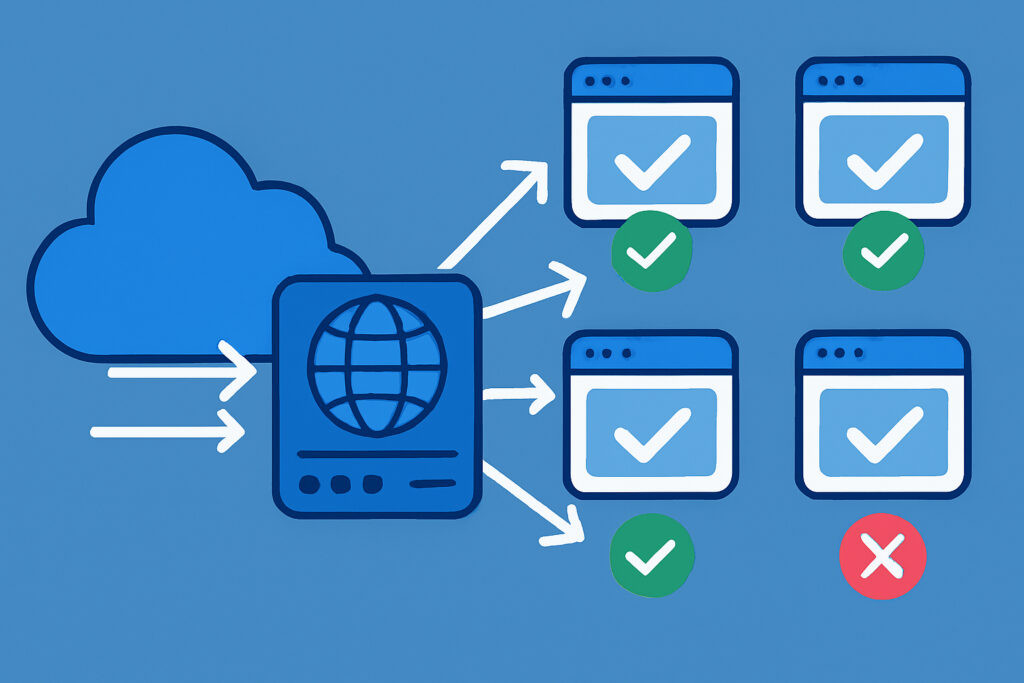
If you run a website that matters to your business, you’ve probably experienced that sinking feeling when your site goes down during a traffic spike. Maybe it was a product launch, a seasonal sale, or just an unexpected mention on social media. Whatever the cause, the result is the same: lost visitors, lost revenue, and a damaged reputation. Load balancers are one of the most effective tools for preventing exactly this kind of disaster, yet many site owners either don’t use them or don’t fully understand what they do.
Let me walk you through how load balancers work, why they matter for uptime, and how to get started with one — even if you’re not a server infrastructure expert.
What Exactly Does a Load Balancer Do?
In simple terms, a load balancer sits between your visitors and your web servers. When someone requests your website, the load balancer decides which server should handle that request. Instead of all traffic hitting a single server, it gets distributed across two or more servers. This means no single machine gets overwhelmed, and if one server fails, the others pick up the slack.
Think of it like a restaurant with multiple chefs. If one chef gets sick, the kitchen doesn’t shut down — the other chefs handle the orders. Without a load balancer, you’ve got a kitchen with one chef, and if that person goes down, your customers go hungry.
Why Load Balancers Are Critical for Uptime
The most obvious benefit is redundancy. When your site runs on a single server, that server is a single point of failure. Hardware fails, software crashes, and networks hiccup. It’s not a question of if, but when. A load balancer eliminates this single point of failure by routing traffic to healthy servers automatically.
The second benefit is performance under load. Even when nothing is broken, a single server has finite resources. Once CPU or memory is maxed out, response times skyrocket and users start seeing errors. Distributing requests across multiple servers keeps response times low and the user experience smooth.
There’s also maintenance flexibility. Need to update your application or patch your operating system? With a load balancer, you can take one server out of rotation, update it, bring it back, and then do the next one. Zero downtime deployments become realistic instead of theoretical.
A Real-World Lesson I Learned the Hard Way
A few years back, I was managing a cluster of Debian web servers running multiple WordPress sites. Everything was on a single server per group of sites, and things worked fine — until they didn’t. One morning, a bot started hammering one of the sites with thousands of requests per second. The server’s load average shot past 100, Apache became unresponsive, and every site on that server went dark.
After recovering from the immediate crisis, I set up HAProxy in front of two backend servers. The difference was night and day. The next time a similar traffic spike hit, the load was split across both machines, neither one broke a sweat, and I could also use HAProxy’s rate limiting to throttle abusive traffic before it reached Apache. That experience made me a firm believer in never running anything important on a single server without a load balancer in front of it.
Types of Load Balancers and How to Choose
There are a few common approaches, and the right one depends on your setup and budget.
Software load balancers like HAProxy and Nginx are free, powerful, and run on standard Linux servers. HAProxy is particularly popular for high-traffic environments and is battle-tested in production at massive scale. Nginx can serve double duty as both a web server and a load balancer, which simplifies your stack. For most small to mid-sized setups, either of these is an excellent choice.
Cloud load balancers from providers like AWS (ELB/ALB), Google Cloud, or DigitalOcean are managed services. You don’t maintain the load balancer itself — the provider handles availability and scaling. These are convenient but come with ongoing costs that can add up.
Hardware load balancers like F5 are enterprise-grade appliances. Unless you’re running a data center, you probably don’t need one. They’re expensive and overkill for most use cases.
For someone running WordPress sites on Debian servers, a software load balancer like HAProxy is usually the sweet spot. It’s free, well-documented, and you can run it on a small VPS that costs just a few euros per month.
Setting Up a Basic Load Balancer: Step by Step
Here’s a simplified overview of getting HAProxy running on Debian to balance traffic between two web servers.
First, install HAProxy on a separate server or VPS. On Debian, it’s as simple as running apt install haproxy. Next, edit the configuration file at /etc/haproxy/haproxy.cfg. Define a frontend section that listens on port 80 (and 443 for HTTPS), and a backend section that lists your web servers with their IP addresses. Set the balancing algorithm — round-robin is a good default, which simply alternates requests between servers. Enable health checks so HAProxy automatically stops sending traffic to a server that’s not responding. Restart the service, point your DNS to the load balancer’s IP, and you’re live.
The whole process can be done in under an hour if your backend servers are already running. The key detail people often miss is health checks. Without them, the load balancer will keep sending traffic to a dead server, which defeats the entire purpose.
Common Myths About Load Balancers
Myth: Load balancers are only for large companies. Not true. Even a two-server setup behind a load balancer is dramatically more resilient than a single server. The cost of an extra small VPS is trivial compared to the cost of downtime.
Myth: Load balancers make your setup too complex. There’s a learning curve, sure, but the basic configuration is straightforward. And the complexity you add is well worth the reliability you gain.
Myth: If my hosting provider is reliable, I don’t need one. Even the best providers have outages. A load balancer across multiple servers — or even multiple data centers — protects you against problems that no single provider can guarantee away.
Monitoring: The Other Half of the Equation
A load balancer improves uptime, but it doesn’t guarantee it. You still need visibility into what’s happening. If one of your backend servers goes down and the load balancer routes around it, you need to know immediately so you can fix the failed server before you lose your redundancy.
This is where uptime monitoring comes in. A service like UptimeVigil checks your site every minute around the clock and alerts you the moment something goes wrong. Combining a load balancer with proper monitoring gives you both automatic failover and instant awareness. The load balancer keeps your site running while the monitoring tells you there’s a problem to fix. Together, they form a solid foundation for reliable uptime.
Frequently Asked Questions
Do I need a load balancer if I only have one server? Technically no, but adding a second server plus a load balancer is one of the highest-impact upgrades you can make for reliability. Consider it your next step once your site is generating real traffic or revenue.
Does a load balancer help with DDoS attacks? It helps absorb the impact by spreading the load, and many load balancers include rate limiting features. For serious DDoS protection, though, you’ll want a dedicated service like Cloudflare in front of everything.
Can I use a load balancer with WordPress? Absolutely. The main thing to watch out for is session handling and file uploads. Use a shared filesystem or object storage for uploads, and configure sticky sessions or a shared session store so logged-in users don’t get bounced between servers unexpectedly.
What happens if the load balancer itself goes down? That’s a valid concern. For critical setups, you can run two load balancers in an active-passive pair using keepalived with a floating IP. If the primary fails, the secondary takes over within seconds.
The bottom line is this: if uptime matters to your business, a load balancer is not optional infrastructure — it’s essential. Combined with proper monitoring, it transforms your setup from fragile to resilient, and the investment in time and cost is remarkably small for the peace of mind it delivers.