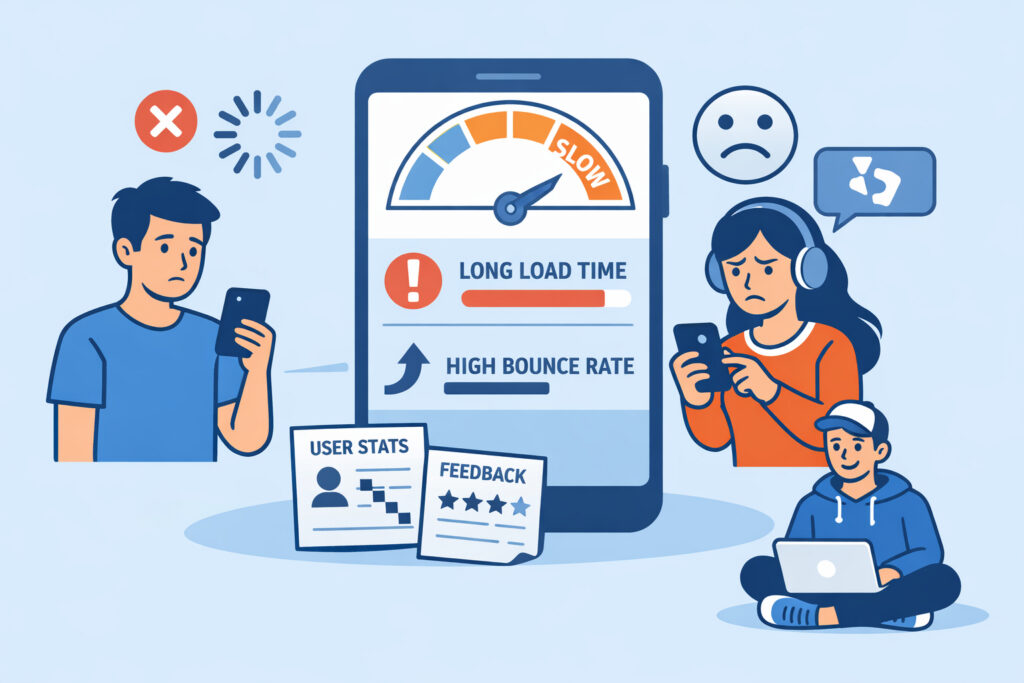
Mobile performance directly determines whether visitors stay on your site or leave in frustration. If your website takes more than three seconds to load on a smartphone, you’re losing a significant portion of your audience before they even see your content. Understanding how mobile performance affects user experience – and what you can monitor to keep it in check – is the difference between a site that converts and one that quietly bleeds traffic.
Why Mobile Performance Matters More Than Ever
Over 60% of global web traffic now comes from mobile devices. That’s not a trend – it’s the baseline. Your visitors are browsing on commuter trains, in coffee shops, and over spotty cellular connections. They’re not sitting at a desk with a fiber connection and a 27-inch monitor.
The problem is that many websites are still built and tested primarily on desktop. Developers check load times on their fast office networks, see sub-second response times, and assume everything is fine. Then a customer on a 4G connection in a rural area waits eight seconds for the page to render, gives up, and goes to a competitor.
I’ve seen this pattern repeatedly: a site owner watches their bounce rate climb and blames the content or the design, when the real issue is that the page simply takes too long to become usable on mobile.
What Slow Mobile Performance Actually Costs You
The consequences go beyond annoyed visitors. Slow mobile performance hits you in multiple places at once.
Revenue loss. For e-commerce sites, every additional second of load time reduces conversions measurably. A site that loads in two seconds versus five seconds can see conversion rate differences of 30–50%. If your checkout process stalls on mobile, customers abandon carts – often permanently. If you’re running an online store, monitoring your checkout process specifically on mobile is essential.
SEO damage. Google has used mobile-first indexing since 2019. Your mobile site is the version Google evaluates for rankings. Slow Core Web Vitals scores – particularly Largest Contentful Paint and Interaction to Next Paint – push you down in search results. This isn’t theoretical. Sites that improve mobile load times consistently see ranking improvements within weeks.
Brand perception. Users don’t separate your website’s performance from your brand. A sluggish mobile experience signals that you don’t care about their time. That impression sticks, even if your product is excellent.
The Myth of “Good Enough” Mobile Speed
One common misconception is that if a site loads within five seconds on mobile, that’s acceptable. It’s not. Users have been conditioned by apps and fast-loading sites to expect near-instant responses. A five-second load time on mobile feels painfully slow.
Another myth: “My site is responsive, so it’s optimized for mobile.” Responsive design handles layout – it adjusts columns and font sizes. It does nothing about the weight of your images, the number of JavaScript files blocking rendering, or third-party scripts dragging down your Time to Interactive. A responsive site can still be brutally slow on mobile.
Key Mobile Performance Metrics to Monitor
To keep your mobile experience in good shape, you need to track the right numbers. Here are the ones that matter most.
Response time. This is the time your server takes to start sending data back to the browser. If your server response time is slow, nothing else you optimize downstream will save you. Consistent monitoring at short intervals – like one-minute checks – catches server slowdowns before they spiral into full outages.
Largest Contentful Paint (LCP). This measures when the main content of a page becomes visible. For a good mobile experience, LCP should be under 2.5 seconds. Anything above 4 seconds is considered poor.
Time to Interactive (TTI). A page can appear loaded but still be unresponsive because JavaScript is still executing. TTI tells you when the page is actually usable. On mobile, heavy JavaScript bundles are the biggest offender here.
Cumulative Layout Shift (CLS). Elements jumping around while the page loads is especially frustrating on mobile, where screens are small and accidental taps are common. Images without defined dimensions and late-loading ads are typical causes.
Tracking response time as a baseline metric gives you the earliest warning signal that something is going wrong on the server side.
Practical Steps to Improve Mobile Performance
Here’s what actually moves the needle, based on real-world troubleshooting.
Compress and resize images. Serving a 2MB hero image to a phone on a cellular connection is one of the most common – and most fixable – performance killers. Use modern formats like WebP, and serve appropriately sized images based on the device viewport.
Reduce JavaScript payload. Audit your third-party scripts. Analytics, chat widgets, social embeds, and ad scripts add up fast. Each one blocks rendering or competes for bandwidth. Remove what you don’t need. Defer what you do.
Enable server-side caching and a CDN. A content delivery network serves your static assets from a location close to the user. This alone can cut mobile load times by 40–60% for geographically distributed audiences.
Monitor from multiple locations. Your site might load quickly from your data center’s region but struggle elsewhere. Multi-location monitoring reveals performance gaps you’d never catch from a single vantage point.
Set up alerts with sensible thresholds. Don’t wait until your site is completely down. Configure alerts for response time degradation – for example, trigger a notification when response time exceeds 2 seconds consistently over 5 minutes. This lets you catch mobile performance issues before they become outages. Learning to set up smart alerts prevents both missed incidents and alert fatigue.
A Scenario You’ll Recognize
A SaaS company launches a marketing campaign targeting mobile users. Traffic spikes 3x within hours. The landing page – which loads fine on desktop – starts taking 7–8 seconds on mobile because of unoptimized hero images and three third-party tracking scripts. Bounce rate hits 78%. The team doesn’t notice for six hours because their monitoring only checks from one location and doesn’t track response time degradation – just full outages.
By the time they react, they’ve burned through a significant portion of their ad budget driving traffic to a page most visitors never actually saw. The fix took 20 minutes: compress the images, defer two scripts, and add a CDN. The monitoring gap was the real failure.
FAQ
How often should I test my site’s mobile performance?
Continuous automated monitoring is the only reliable approach. Manual spot checks miss intermittent slowdowns and time-dependent issues like peak traffic degradation. One-minute interval monitoring catches problems as they develop, not after customers have already left.
Does mobile performance affect SEO rankings directly?
Yes. Google uses Core Web Vitals – which include mobile-specific performance metrics like LCP and CLS – as ranking signals. Poor mobile performance can push your pages down in search results, reducing organic traffic regardless of how good your content is.
Can a fast desktop site still be slow on mobile?
Absolutely. Desktop connections are typically faster and more stable. Heavy images, unminified JavaScript, and render-blocking resources that barely register on a desktop connection can add seconds to mobile load times. Always test and monitor specifically for mobile conditions, not just desktop.
Keep Mobile Performance Visible
The biggest risk with mobile performance isn’t a single bad day – it’s gradual degradation that nobody notices. A plugin update adds 200ms. A new tracking script adds another 300ms. An unoptimized image slips through. Individually, each change seems minor. Together, they push your mobile load time from 2 seconds to 5, and your conversion rate drops accordingly.
The fix is straightforward: monitor continuously, track response time trends over weeks and months, and investigate any upward drift before it compounds. Mobile performance isn’t a one-time optimization – it’s an ongoing discipline that pays off every time a visitor stays instead of bouncing.