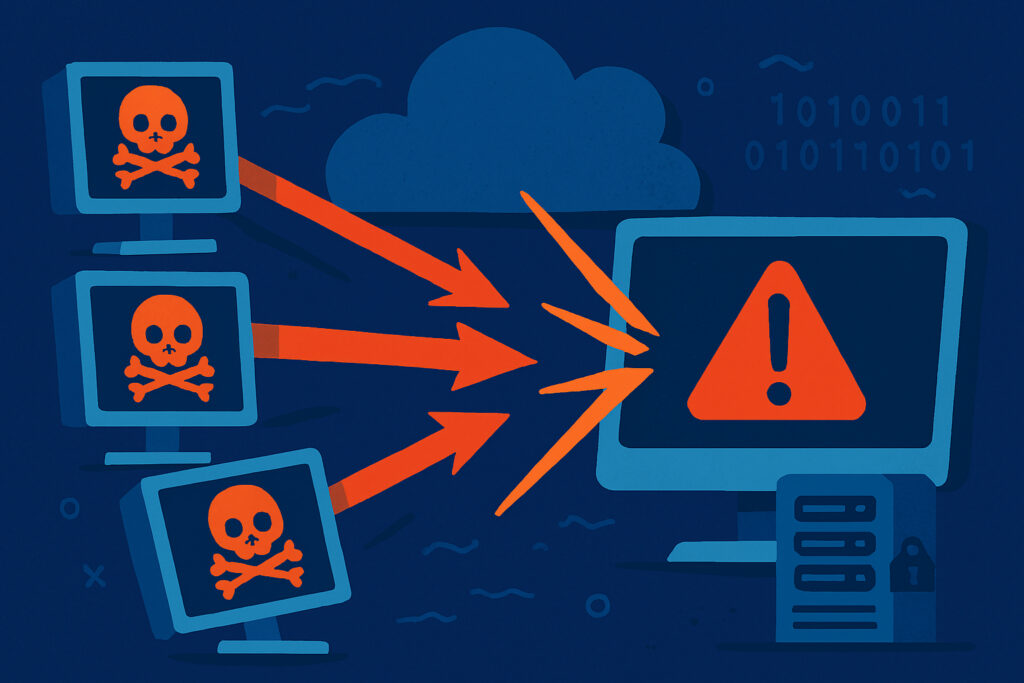
If your website suddenly becomes unreachable and your server resources are maxed out, you might be experiencing a DDoS attack. Understanding how these attacks work and spotting the warning signs early can mean the difference between minor disruption and serious business damage. Let me walk you through what actually happens during a DDoS attack and how you can catch it before it causes lasting harm.
What Actually Happens During a DDoS Attack
A Distributed Denial of Service (DDoS) attack is essentially a coordinated effort to overwhelm your server with so much traffic that legitimate users can’t access your site. Think of it like thousands of people trying to squeeze through a single doorway at once – eventually, nobody gets through.
The ”distributed” part is crucial here. Unlike a simple DoS attack from one source, DDoS attacks come from multiple computers simultaneously, often from a botnet – a network of compromised devices that attackers control remotely. These can be anything from infected home computers to IoT devices like security cameras and smart refrigerators.
The Three Main Types of DDoS Attacks
Volume-based attacks flood your network with massive amounts of data. UDP floods and ICMP floods fall into this category. The goal is simple: consume all your available bandwidth so nothing legitimate can get through. These attacks are measured in bits per second (bps) or packets per second (pps).
Protocol attacks target weaknesses in network protocols themselves. SYN floods are particularly common – they exploit the TCP handshake process by sending connection requests but never completing them. Your server keeps waiting for responses that never come, eventually exhausting its connection table. I’ve seen servers with thousands of half-open connections just sitting there, unable to accept any new legitimate requests.
Application layer attacks are the sneakiest. They target specific aspects of your web application, like sending seemingly legitimate HTTP requests to resource-intensive pages. These attacks often use much less bandwidth but can be devastating because they directly target your server’s processing capabilities. A well-crafted attack might request your search function repeatedly with complex queries, bringing your database to its knees.
Early Warning Signs You Need to Know
The tricky part about DDoS attacks is that early symptoms often look like normal traffic spikes or technical issues. Here’s what to watch for:
Your site becomes unusually slow or completely unresponsive. This is the most obvious sign, but don’t assume every slowdown is an attack. I once spent two hours investigating what I thought was a DDoS attack, only to discover our database backup was running during peak hours.
Traffic spikes from unusual geographic locations can be a red flag. If you’re a Finnish company suddenly getting thousands of requests from countries you don’t serve, that’s suspicious. Check your server logs for patterns – legitimate traffic usually shows normal browsing behavior, while attack traffic often hits the same endpoints repeatedly.
Your server resources max out suddenly. CPU usage at 100%, memory exhausted, or network bandwidth completely saturated – especially when your actual visitor count doesn’t justify it. I recommend setting up monitoring that alerts you when these metrics cross certain thresholds.
How to Monitor and Detect Attacks in Real-Time
Log analysis is your first line of defense. On a Debian server, regularly check your access logs (typically in /var/log/apache2/ or /var/log/nginx/). Look for patterns like repeated requests from the same IP addresses, unusual user agents, or requests to non-existent pages.
Use command-line tools to get immediate insights. The command netstat -ntu | awk ’{print $5}’ | cut -d: -f1 | sort | uniq -c | sort -n shows you connection counts per IP address. If you see one IP with hundreds or thousands of connections, that’s a problem.
Implement automated monitoring. Services like UptimeVigil can detect when your site becomes unreachable and alert you immediately. The key is getting notified within minutes, not hours, so you can respond before the damage compounds. Setting up monitoring that checks every minute gives you that critical early warning.
Watch your bandwidth usage graphs. Most hosting providers offer these in their control panels. A DDoS attack typically shows up as a sudden, sharp spike that doesn’t correlate with your normal traffic patterns.
Distinguishing Real Attacks from Traffic Surges
Not every traffic spike is malicious. Sometimes you genuinely go viral or a major news site links to you. The difference is in the patterns:
Legitimate traffic shows diverse user behavior – people browse different pages, spend varying amounts of time on your site, and come from different referrers. Attack traffic is mechanical and repetitive.
Real visitors have realistic user agents and follow normal browsing patterns. Botnets often use outdated or suspicious user agent strings, or they all use identical ones.
Legitimate surges usually build gradually and have an identifiable source you can track down. DDoS attacks often appear instantly at full force.
Common Myths About DDoS Detection
Myth: Small sites don’t get attacked. Wrong. Automated attacks often scan for vulnerable targets regardless of size. I’ve seen personal blogs get hit simply because they were easy targets for testing new attack tools.
Myth: You’ll always know immediately when you’re under attack. Sophisticated attacks can start slowly, gradually increasing intensity to avoid triggering alerts. Some attackers probe your defenses first, testing response times before launching the full attack.
Myth: CloudFlare or similar services make you completely immune. While these services help tremendously, determined attackers can still find ways around them or target infrastructure they don’t protect.
Frequently Asked Questions
How long do DDoS attacks typically last? It varies wildly. Some are over in minutes, testing your defenses. Others persist for hours or even days. The average attack lasts less than an hour, but that’s enough to cause significant damage.
Can I stop a DDoS attack myself? For small attacks, blocking IP addresses manually might work. For anything significant, you need upstream filtering from your hosting provider or a DDoS protection service. Your server simply can’t filter out the traffic fast enough once it reaches you.
Will the attacker come back? Often yes, especially if they’re targeting you specifically rather than scanning randomly. This is why having detection and response procedures ready is crucial.
The reality is that DDoS attacks are becoming more common and more sophisticated. Having monitoring in place, understanding what to look for, and knowing how to respond quickly are no longer optional for anyone running a serious web presence. The key is preparation – set up your monitoring now, before you need it.