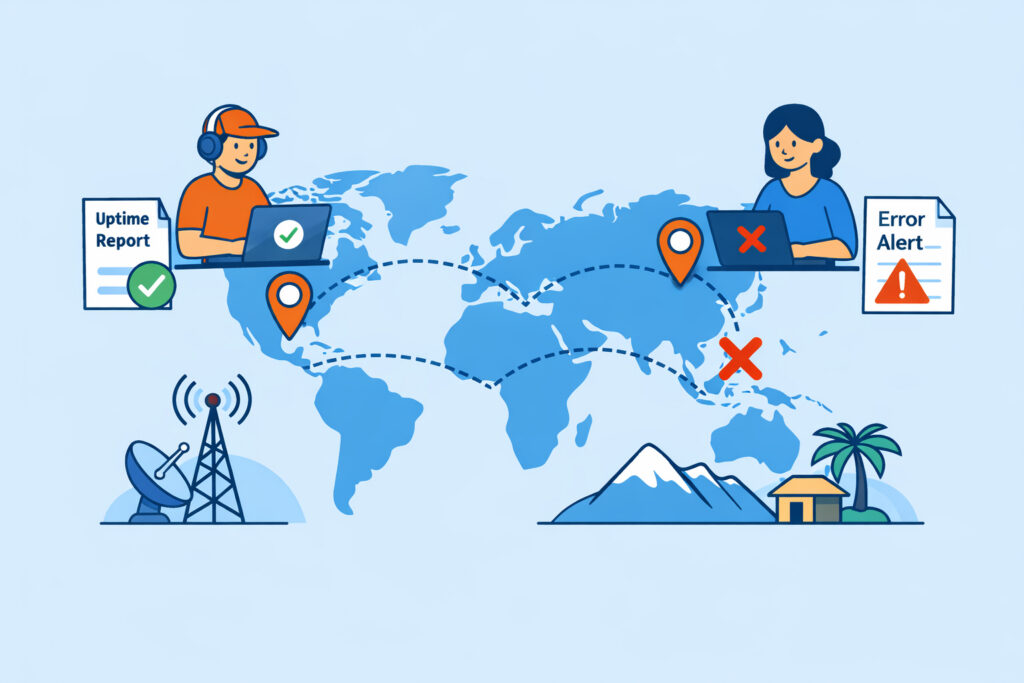
Your website might load in under a second from your office in Helsinki – and take eight seconds for a potential customer in São Paulo. Geographic location affects website availability more than most site owners realize, and the gap between “works fine for me” and “completely broken for half your audience” is often just a few thousand kilometers of undersea cable. Understanding how distance, routing, and regional infrastructure shape your site’s real-world performance is the first step to fixing problems you might not even know you have.
Why Distance Still Matters in a Connected World
There’s a persistent myth that the internet has made geography irrelevant. It hasn’t. Every HTTP request travels as electrical or optical signals through physical cables, and those signals obey the laws of physics. Light in a fiber optic cable travels at roughly two-thirds the speed of light in a vacuum – fast, but not instant. A round trip from London to Sydney covers about 34,000 km of cable and adds over 250 ms of latency before a single byte of your website even begins to load.
That baseline latency gets worse in practice. Each network hop – each router and exchange point along the path – adds processing delay. A request might cross a dozen autonomous systems, each adding a few milliseconds. Multiply that by the dozens of requests a typical web page makes (HTML, CSS, JavaScript, images, fonts, API calls), and you’re looking at meaningful delays that users absolutely notice.
Regional Infrastructure Gaps Create Availability Blind Spots
Not all regions have the same internet infrastructure. Western Europe and North America have dense networks of peering points, redundant cables, and nearby data centers. Parts of Africa, Southeast Asia, and South America rely on fewer submarine cables and longer terrestrial routes. When one of those cables gets damaged – and it happens more often than you’d think, from ship anchors to earthquakes – entire regions can experience degraded connectivity or complete outages.
Here’s a scenario any operations engineer would recognize: your monitoring dashboard shows 100% uptime and sub-200 ms response times. Everything looks green. But your monitoring checks run from a single location in Frankfurt. Meanwhile, users in Indonesia are experiencing 4-second load times because their traffic routes through congested exchange points in Singapore, and users in Argentina are seeing intermittent timeouts because a submarine cable between Brazil and the US is running at capacity during peak hours.
You can’t fix what you can’t see. This is exactly why multi-location monitoring exists – checking from one geography only tells you about that geography.
DNS Resolution Varies by Location
Before your website can even begin loading, the user’s browser needs to resolve your domain name to an IP address. DNS resolution depends on the user’s local DNS resolver, which might cache results differently, route to different authoritative nameservers, or experience different latencies reaching those servers.
If your DNS provider has points of presence only in North America and Europe, users in other regions face an extra round trip just to look up your IP address. That’s 100–300 ms added before the connection even starts. Some DNS providers also use geographic routing to direct users to different server IPs based on their location – and misconfigurations here can send Australian users to a European server instead of an Asian one.
How CDNs and Server Placement Change the Equation
A content delivery network solves the distance problem for static assets by caching copies of your files on edge servers around the world. When a user in Tokyo requests your homepage, the images and scripts load from a nearby CDN node instead of traveling to your origin server in Amsterdam.
But CDNs don’t fix everything. Dynamic content – shopping carts, user dashboards, API responses – still needs to reach your origin server. If your application server sits in a single data center, every dynamic request from distant users carries that full latency penalty. For content-heavy blogs, a CDN might get you 90% of the way there. For a SaaS application with constant API calls, you need to think about origin server placement more carefully.
Consider where your actual users are. Check your analytics. If 40% of your traffic comes from Southeast Asia but your only server is in Ireland, you’re forcing those users through an unnecessarily slow experience every single visit.
Real Availability Means Availability Everywhere
Uptime isn’t a single number – it’s a distribution across geographies. Your site can be “up” from a monitoring perspective while being effectively unusable for a significant portion of your audience. A page that takes 8 seconds to load might as well be down. Most users abandon a site after 3 seconds.
The practical steps to address geographic availability gaps are straightforward:
Measure from multiple locations. You need monitoring checks running from at least 3–5 geographic regions that match where your users actually are. If your analytics show traffic from Asia, you need a monitoring node in Asia.
Benchmark your response times by region. Knowing your global average response time is almost useless. What matters is the response time breakdown by region. A 400 ms average might hide the fact that European users get 150 ms while South American users get 900 ms.
Use a CDN with good coverage in your target markets. Not all CDNs have the same geographic footprint. Some have excellent coverage in North America but sparse presence in Africa or South America. Match your CDN to your audience.
Consider multi-region hosting for critical applications. If your application serves a global audience and latency matters, running application servers in multiple regions – with a global load balancer routing users to the nearest one – can dramatically improve availability and performance.
The Myth of “My Site Is Fast Enough”
One of the biggest misconceptions I see is site owners testing their own website from their own location and concluding it’s fast. That’s like checking the weather in your backyard and assuming it’s sunny worldwide. Your experience is one data point from one location. Without geographic monitoring data, you’re making decisions based on incomplete information.
The other myth worth busting: “We only serve customers in our own country, so geography doesn’t matter.” Even within a single country, routing differences and ISP peering arrangements can create surprising performance variations. Users on one mobile carrier might experience twice the latency of users on another, depending on how their traffic gets routed to your server.
FAQ
Does using a CDN guarantee good availability in all regions?
No. A CDN improves delivery of cached static content, but dynamic requests still hit your origin server. If your origin is far from certain users, those users will still experience higher latency for anything the CDN can’t cache. CDN coverage also varies – check that your provider has edge nodes in the regions that matter to you.
How many monitoring locations do I need?
At minimum, monitor from every continent where you have meaningful traffic. For most businesses, 3–5 locations covering North America, Europe, and Asia provides a solid baseline. If you serve a specific regional market, add monitoring points within that region to catch local infrastructure issues.
Can geographic routing cause my site to appear down in some regions but not others?
Absolutely. DNS-based geographic routing, CDN misconfigurations, or regional network outages can all cause partial availability issues. Your site might respond perfectly from Europe while returning errors for users in a specific Asian country due to a routing policy or a regional ISP problem. This is precisely why single-location monitoring gives a false sense of security.
Geographic location is one of the most overlooked factors in website availability. The fix isn’t complicated – measure from where your users are, cache what you can close to them, and place your servers with your audience in mind. Start by checking your analytics for your top visitor countries, then make sure your monitoring covers those regions. The gaps you find might surprise you.