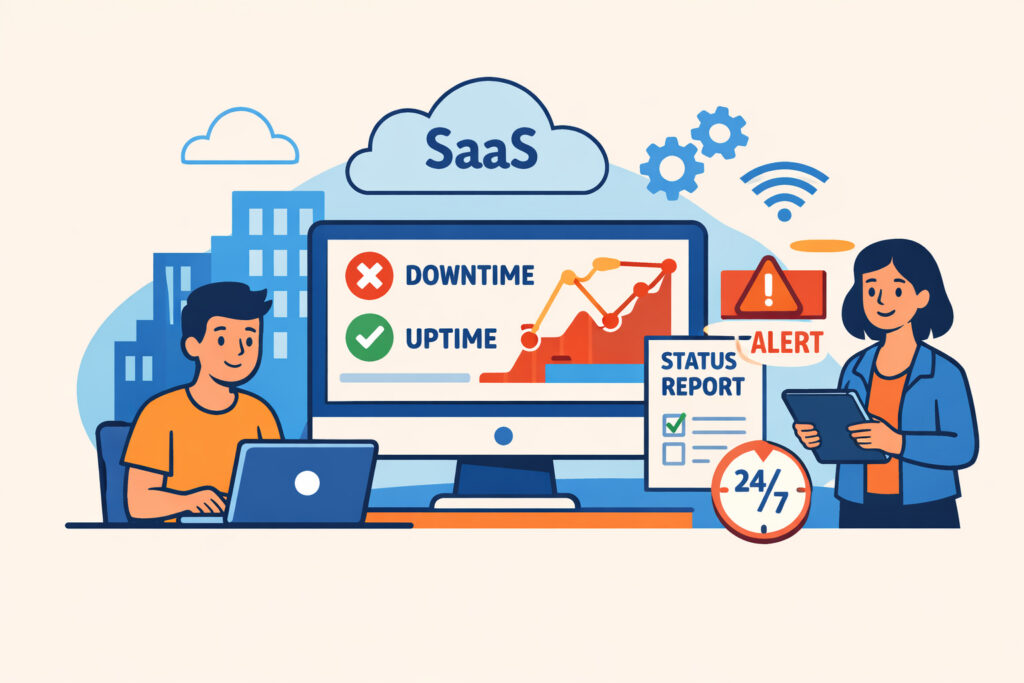
If you run a SaaS application, your product literally is your website. Unlike a brochure site where a few minutes of downtime is an inconvenience, website monitoring for SaaS applications is directly tied to revenue, customer retention, and contractual obligations. When your app goes down, your customers can’t work – and they start looking at alternatives before you’ve even noticed the problem.
This article covers what makes SaaS monitoring different from standard website monitoring, which endpoints and metrics actually matter, and how to build a monitoring setup that catches real problems before your customers report them.
Why SaaS Monitoring Is Different
A traditional website has a homepage, a few content pages, and maybe a contact form. A SaaS application has authentication flows, API endpoints, database-driven dashboards, background job queues, webhook integrations, and payment processing – all of which can fail independently.
I’ve seen SaaS platforms where the marketing site loaded perfectly while the actual application was completely unresponsive behind the login screen. The team had monitoring on the homepage and assumed everything was fine. Meanwhile, paying customers were staring at spinning loading indicators for 45 minutes during a Tuesday morning peak.
The lesson: monitoring your landing page is not monitoring your product. You need checks on the paths your customers actually use.
Critical Endpoints Every SaaS Should Monitor
Not all pages are equally important. Here’s where to focus your monitoring effort, in priority order:
Login and authentication. If users can’t sign in, nothing else matters. Monitor both your login page load time and the actual authentication API endpoint. A slow or failing auth service is the fastest way to generate support tickets.
Core application dashboard. Whatever screen your users see after logging in – that’s your most important page. If it depends on multiple API calls or database queries, it’s also the most likely to break under load.
API endpoints. Most SaaS products expose APIs that third-party tools depend on. A broken API doesn’t just affect your users – it breaks their entire workflow. If you’re not already monitoring these, our guide on API monitoring walks through the essentials.
Payment and billing flows. A checkout page that times out doesn’t just lose one transaction. It erodes trust in a way that takes months to rebuild.
Webhook delivery. If your application sends webhooks to other services, failed deliveries can silently break your customers’ automations. Monitor webhook response codes and delivery latency.
The Metrics That Actually Matter
Here’s a common myth: if your uptime is 99.9%, your SaaS is doing great. In reality, 99.9% uptime still means nearly nine hours of downtime per year. For a SaaS product with global customers across multiple time zones, that’s potentially nine hours during someone’s business-critical workday.
What you should track beyond basic availability:
Response time by endpoint. A page that loads in 8 seconds is technically “up” but functionally broken. Set response time thresholds for each critical endpoint – not just a global average. Most SaaS dashboards should load within 2–3 seconds. Anything above 5 seconds and users start abandoning tasks. Understanding the difference between performance monitoring and availability monitoring helps you catch these slow-but-not-down scenarios.
Error rate trends. A sudden spike in 500 errors from your API often precedes a full outage. Catching the trend early gives you time to respond before it escalates.
Time to first byte (TTFB). This reveals backend processing bottlenecks – slow database queries, overloaded application servers, or misconfigured caching layers – before they become user-visible problems.
Setting Up Monitoring That Scales
Start simple, then expand. Here’s a practical approach:
Step 1: Set up basic HTTP monitors on your five most critical URLs. If you haven’t done this before, you can get your first monitor running in about five minutes. Use one-minute check intervals – for a SaaS product, five-minute intervals leave too large a detection gap.
Step 2: Configure meaningful alert thresholds. A login page taking over 4 seconds is a different severity than a blog page taking 4 seconds. Separate your alerts by endpoint importance. Getting alert configuration right from the start saves you from notification overload later – here’s how to set up smart alerts that don’t overwhelm you.
Step 3: Add keyword or content verification. An HTTP 200 response doesn’t always mean success. Your dashboard might return a 200 status code but display an error message to the user. Keyword checks verify that the expected content is actually present on the page.
Step 4: Monitor from multiple geographic locations. If your SaaS serves customers in Europe and the US, a single monitoring location won’t catch regional CDN failures or DNS propagation issues.
Handling SLA Commitments
Most SaaS products promise uptime in their terms of service – typically 99.9% or higher. Without independent monitoring data, you’re flying blind when a customer disputes their SLA credits.
Keep your monitoring records as your source of truth. When a customer claims they experienced downtime last Thursday, you need data that shows exactly when the issue started, how long it lasted, and which endpoints were affected. This isn’t just about resolving disputes – it’s about demonstrating transparency and building long-term trust.
One practical tip: run your monitoring from a third-party service rather than from your own infrastructure. If your servers go down and your monitoring runs on the same servers, you won’t get alerted. External monitoring eliminates this blind spot entirely.
FAQ
How often should I monitor my SaaS application?
For production SaaS applications, one-minute intervals are the minimum. Critical endpoints like authentication and payment flows benefit from even more frequent checks if your monitoring service supports it. The goal is to detect issues before your customers notice them – and customers notice fast.
Should I monitor staging and development environments too?
Yes, but with different alert rules. Monitoring staging catches deployment issues before they hit production. Use the same checks but route alerts to your development channel instead of the on-call pager. Many outages start as “it worked in staging” problems – monitoring both environments helps you spot configuration differences early.
What’s the biggest monitoring mistake SaaS teams make?
Only monitoring the homepage or marketing site while ignoring the authenticated application. Your marketing site and your product often run on different infrastructure. A healthy landing page tells you nothing about whether your actual application is serving requests. Always monitor the endpoints your paying customers interact with daily.
Keep Your SaaS Running Before Problems Find You
SaaS monitoring isn’t a one-time setup task – it evolves as your product grows. Every new feature, integration, or infrastructure change introduces potential failure points. Start with your critical user paths, set response time thresholds that reflect real user expectations, and review your monitoring coverage quarterly. The best SaaS teams don’t just react to outages – they catch degradation patterns early enough to fix problems during quiet hours, not during a customer demo.