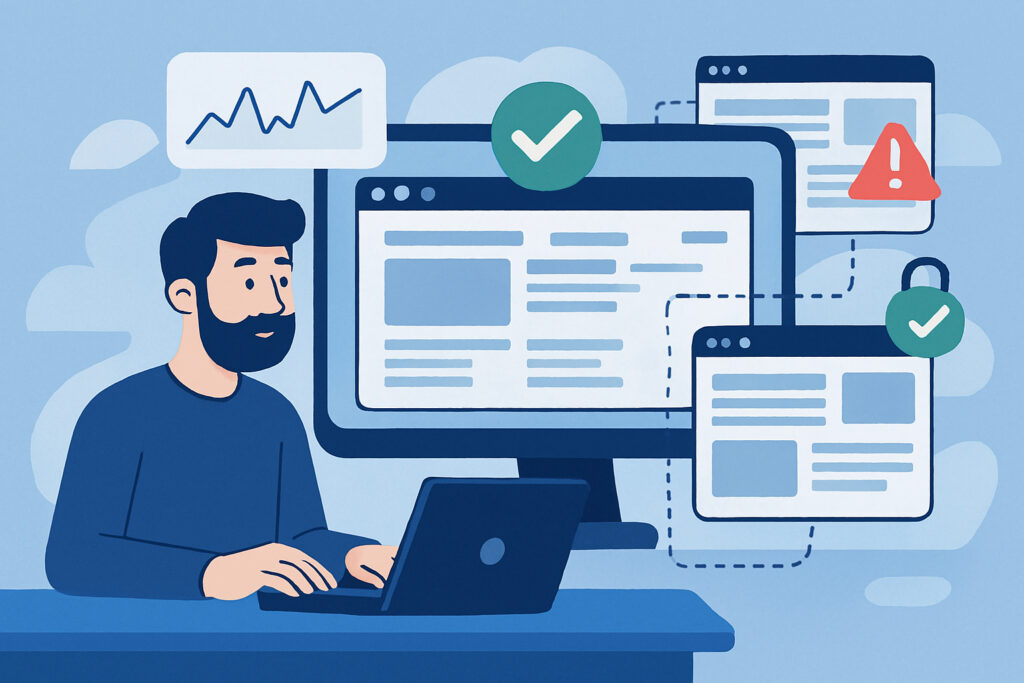
When you’re running a website with multiple pages, basic uptime monitoring isn’t enough. Sure, your homepage might be up, but what if your checkout page is broken? Or your login system has crashed? I learned this the hard way when a client’s e-commerce site appeared to be working fine on the surface, but their payment gateway had been down for three hours before anyone noticed. That mistake cost them thousands in lost sales.
Multi-page website monitoring goes beyond simply checking if your site responds. It’s about ensuring that every critical user journey works as expected, from landing pages to conversion points. Let’s explore how to set up a monitoring strategy that actually catches problems before they impact your users.
Why Single-Page Monitoring Falls Short
Most basic monitoring services only check your homepage. The problem is that modern websites are complex systems with dozens of interconnected pages, third-party integrations, and dynamic content. Your homepage might load perfectly while your contact form submission fails, your search function breaks, or your member dashboard returns errors.
I’ve seen businesses lose significant revenue because they assumed their website was fine based on homepage monitoring alone. The reality is that different pages have different failure modes, and critical business functions often live on pages that never get monitored.
Identifying Critical Pages to Monitor
Start by mapping out your user journeys. Which pages are essential for your business operations? For most websites, these include:
Conversion pages like checkout, registration, or contact forms deserve priority monitoring. These pages directly impact your bottom line. If your payment processing page goes down, you need to know immediately, not when customers start complaining.
User account areas such as login pages, dashboards, and account settings should be monitored separately. Authentication systems can fail independently from your main site, and users trying to access their accounts need these pages to work flawlessly.
Content-heavy pages that drive traffic from search engines or ads need monitoring too. If you’re running a campaign that drives traffic to a specific landing page, you’d better make sure that page is actually loading correctly.
Setting Up Multi-Endpoint Monitoring
The technical approach is straightforward but requires planning. You need to monitor each critical page as a separate endpoint, checking not just for HTTP 200 responses but for actual page content.
Configure your monitoring to check for specific elements on each page. For example, on a checkout page, verify that the payment button exists and is rendered correctly. On a login page, check that the authentication form is present. This approach catches issues that wouldn’t show up as server errors but still break functionality for users.
Response time monitoring becomes more nuanced with multiple pages. Different pages will have different acceptable load times based on their complexity. A product listing page might legitimately take longer to load than a simple contact form. Set appropriate thresholds for each page type rather than using a one-size-fits-all approach.
Checking for Broken Internal Links
Multi-page monitoring should include link validation between pages. A common failure mode is when internal navigation breaks due to URL changes, database issues, or configuration errors. Your homepage might be accessible, but if all the menu links return 404 errors, your site is effectively broken.
Set up periodic crawls to verify that critical navigation paths work correctly. This doesn’t mean checking every single link on your site constantly, but rather focusing on main navigation, footer links, and primary user journeys.
Monitoring Dynamic Content and API Dependencies
Modern websites often pull content from APIs, databases, or third-party services. A page might technically load, but if the API call fails, users see empty sections or error messages instead of content.
When I set up monitoring for sites with dynamic content, I always include checks for specific data elements. If a page should display recent blog posts, the monitoring should verify that posts are actually being rendered, not just that the page template loads.
Third-party integrations like payment processors, chat widgets, or analytics tools can fail independently. Monitor the presence and functionality of these elements on the pages where they matter most.
Balancing Monitoring Frequency and Resources
You can’t check every page every minute without generating significant server load or monitoring costs. Prioritize your monitoring frequency based on page importance and change frequency.
Critical transaction pages might need minute-by-minute checks, while informational pages could be checked every five or ten minutes. Static pages that rarely change need less frequent monitoring than dynamic pages that pull real-time data.
Alert Fatigue and Smart Notifications
One of the biggest mistakes in multi-page monitoring is creating too many alerts. If you monitor twenty pages and get an email for every minor issue, you’ll start ignoring alerts entirely.
Implement smart alerting that distinguishes between minor hiccups and serious problems. A single failed check might be a network blip, but three consecutive failures indicate a real issue. Configure your monitoring to alert only when problems persist or affect multiple pages simultaneously.
Group related pages in your alert configuration. If your entire checkout flow goes down, you want one clear alert about the checkout system failing, not five separate alerts about five different checkout pages.
Common Pitfalls to Avoid
Don’t monitor from a single location. Your site might be accessible from one region but blocked or slow in others. Use monitoring from multiple geographic locations, especially if you serve an international audience.
Avoid checking only during business hours. Problems don’t wait for convenient times, and many issues occur during off-peak hours when they’re less likely to be noticed quickly.
Don’t ignore mobile-specific pages or responsive design issues. A page might work perfectly on desktop but fail on mobile devices due to different code paths or resources.
Remember that monitoring is about prevention, not just reaction. Regular monitoring data helps you spot trends like gradually increasing load times or intermittent errors that haven’t yet become critical failures.
The goal of multi-page monitoring is peace of mind. When done right, you’ll catch problems before they significantly impact users, maintain better overall site reliability, and understand exactly which parts of your website need attention when issues arise.