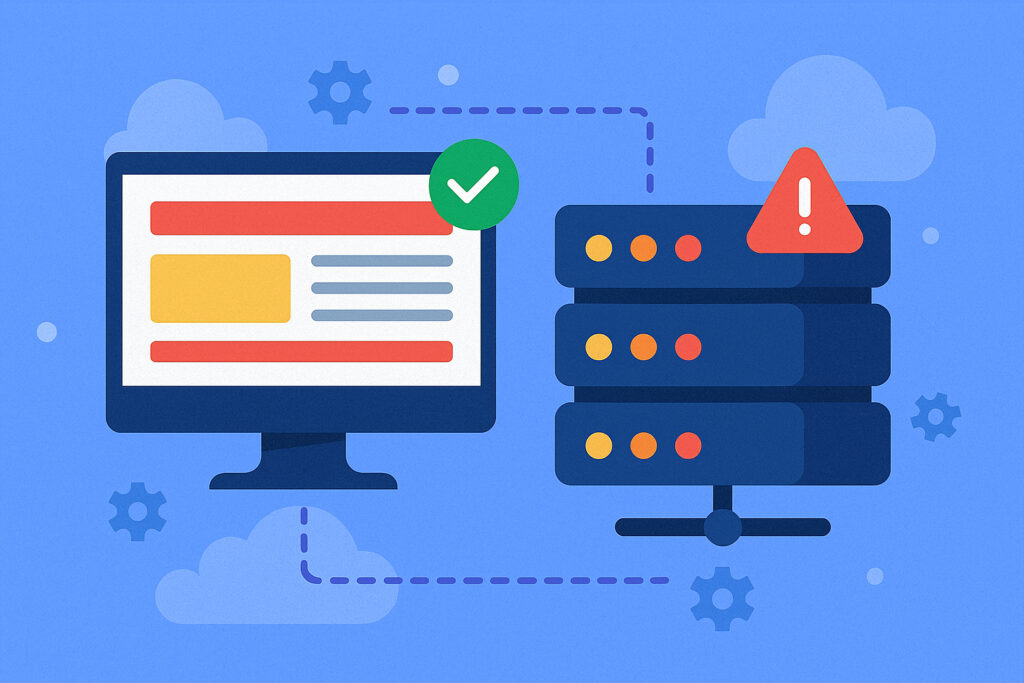
If you’re managing any kind of online presence, you’ve almost certainly seen the terms website monitoring and server monitoring used interchangeably. They’re not the same thing — and confusing the two is one of the most common reasons site owners get blindsided by outages they thought they were protected against. Understanding the difference between website monitoring and server monitoring helps you build a detection strategy that actually catches problems before your customers do.
I’ve watched this exact confusion play out dozens of times. Someone sets up server-level monitoring, sees green dashboards everywhere — CPU fine, RAM fine, disk fine — and assumes their site is healthy. Meanwhile, users are staring at a white screen because the PHP process died silently. The server didn’t notice. Why would it? From the server’s perspective, nothing went wrong.
Website Monitoring: The Outside-In Perspective
Website monitoring works exactly the way your visitors do. An external service connects to your site at regular intervals, loads pages, checks response codes, and measures how long things take. It answers one simple question: can a real person use this site right now?
This means checking several things at once. HTTP status codes tell you whether the server returned a proper 200 OK or an error. Response time reveals whether the site technically loads but takes 12 seconds — which might as well be down for most visitors. Content verification confirms your page actually renders the right content rather than displaying an empty template or a database error.
There’s also the SSL layer. An expired certificate won’t crash your server, but it will slap every visitor with a scary browser warning. Good website monitoring catches this before it happens. If you haven’t thought about this particular risk, it’s worth reading about how SSL certificate expiration quietly kills websites.
The key insight is that website monitoring sees your infrastructure the way your customers see it. DNS problems, CDN failures, application crashes, expired certificates — these all show up as failures even when every server metric looks perfect.
Server Monitoring: The Inside-Out Perspective
Server monitoring looks at the machine itself. It tracks CPU usage, memory consumption, disk space, network throughput, process counts, and system load. It answers a different question: is the underlying hardware and operating system healthy?
This matters because infrastructure problems are often slow-building. A disk that fills up 1% per day won’t trigger any alarms for weeks — until one morning your database can’t write and everything breaks at once. Memory leaks creep up over days. CPU usage gradually climbs as traffic grows beyond what your current setup can handle.
Server monitoring gives you lead time. You see the trend lines, set thresholds, and fix things proactively. That’s genuinely valuable.
But here’s the myth that catches people: healthy server metrics do not mean your website works. I’ve personally seen servers humming along beautifully while the web application was completely down. A misconfigured Nginx reload, a failed deployment that left PHP-FPM dead, a firewall rule change that blocked port 443 — the server doesn’t care about any of these. Its CPU is still at 8%, and it’s very pleased with itself.
Why One Can’t Replace the Other
The fundamental difference comes down to perspective. Website monitoring is external and user-facing. Server monitoring is internal and infrastructure-facing. They catch different categories of failure, and there’s surprisingly little overlap.
Your server can report perfect health while your site is unreachable because of DNS misconfiguration, application errors, or network path issues between the server and the user. Conversely, your website might respond normally for a while even as the server slowly runs out of resources — until it hits a cliff and everything collapses simultaneously.
Here’s a real scenario that illustrates this well. An e-commerce site starts responding in 12 seconds instead of the usual 2. Website monitoring catches this immediately and sends an alert. The team checks server metrics: CPU is at 40%, memory looks fine. So what’s going on? Disk utilization has crept to 97% over several weeks, and the database is struggling to write transaction logs. Website monitoring found the symptom. Server monitoring — once someone actually looked — revealed the cause. Without both views, you’re either blind to the problem or blind to the root cause.
For a broader view of what to track across both layers, the complete website monitoring checklist is a solid starting point.
What Each Approach Catches Best
Website monitoring excels at detecting application crashes and deployment failures, DNS resolution problems, SSL certificate issues, slow page loads and timeouts, broken checkout flows or login pages, CDN and edge caching failures, and third-party service outages that affect your frontend.
Server monitoring excels at detecting disk space running low, memory leaks and resource exhaustion, CPU saturation under load, network interface problems, runaway processes consuming resources, and hardware failures like failing drives.
Notice the pattern: website monitoring catches things that break the user experience. Server monitoring catches things that will eventually break the user experience if you don’t intervene. Both are necessary for a complete picture.
Where to Start If You Have to Pick One
If you’re on a tight budget or just getting started, begin with website monitoring. The reasoning is simple: it tells you when your business is actively losing customers. That’s the most urgent signal.
Setting up basic ping, HTTP, and port monitoring gives you immediate visibility into whether your site is reachable and responding properly. You can be up and running in minutes — literally. The setup process for a basic website monitor takes about five minutes with most services.
As your infrastructure grows, layer in server monitoring. The combination lets you not only detect problems instantly but also diagnose them faster and — more importantly — prevent them before they reach your users.
Common Mistakes to Avoid
Only monitoring the homepage. Your landing page could load perfectly while the checkout process throws 500 errors on every request. Monitor the pages that matter to your revenue, not just the front door.
Treating server health as proof the site works. A green server dashboard gives you a false sense of security. Always verify from the outside.
Setting check intervals too far apart. Checking every 15 minutes means you could be down for 14 minutes before anyone notices. One-minute intervals are the standard for any site where downtime costs money.
Ignoring gradual degradation. Response times creeping from 1.5 seconds to 4 seconds over a month is easy to miss without monitoring. Your visitors won’t miss it — they’ll just leave.
FAQ
Can website monitoring replace server monitoring entirely?
No. Website monitoring tells you something is wrong, but it rarely tells you why. If your site goes down because the disk filled up, website monitoring will alert you to the downtime, but you’ll need server-level data to diagnose and fix the root cause. They serve different purposes and work best together.
Which type of monitoring is more important for a small business website?
Start with website monitoring. It directly measures what your customers experience, which is the most business-critical signal. For a small site on managed hosting, the hosting provider often handles basic server monitoring anyway. Your gap is almost always on the website monitoring side.
How often should website monitoring check my site?
Every one to two minutes is the sweet spot for most business sites. Longer intervals mean longer detection times, and in e-commerce especially, every minute of undetected downtime translates directly to lost revenue. Five-minute intervals are acceptable for non-critical sites, but anything longer is cutting corners.
The bottom line is straightforward: website monitoring and server monitoring aren’t competing approaches — they’re two halves of the same strategy. One watches the experience, the other watches the engine. Skip either one, and you’re leaving a blind spot that will eventually cost you.