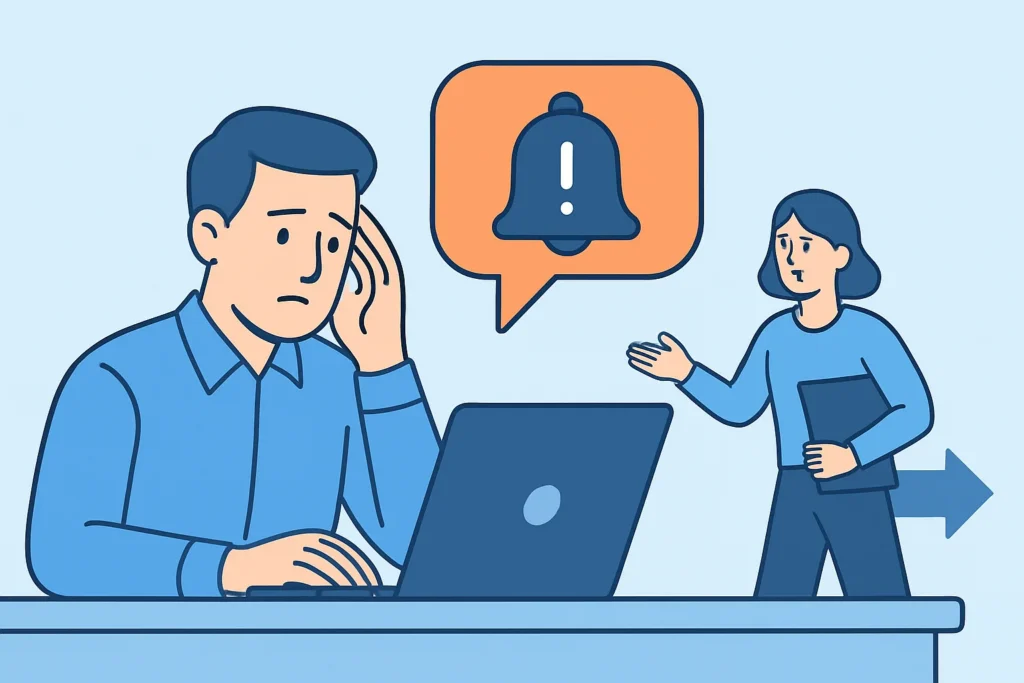
An escalation policy decides what happens when a downtime alert fires at 02:40 and nobody acknowledges it. For small teams, agencies and solo operators, an unanswered alert is the most common way a five-minute blip turns into a three-hour outage. This article covers how to design escalation policies that move an unacknowledged alert to the next person, how to choose sensible timings, and what to do when nobody responds at all.
Why the First Alert Fails More Often Than Teams Admit
Uptime monitoring rarely fails at detection. A good uptime check notices a failed HTTP response within 1-2 minutes. The weak link is the human on the other end.
The primary on-call engineer might be driving, asleep with the phone on Do Not Disturb, or sitting in a cinema. Email lands in a folder that a filter rule created eight months ago. Or the phone just died. None of this is negligence. It is the normal state of being a person, and an escalation policy exists because of it.
Picture a typical case. A WooCommerce store’s PHP-FPM pool runs out of workers at 23:15 on a Friday. The downtime alert reaches the developer who built the site, who is on a flight to Lisbon. Without escalation, the store returns 502 errors until Saturday morning – roughly nine hours of lost orders. With a simple 15-minute escalation to a second person, the outage lasts about 25 minutes.
How an Escalation Policy Actually Works
An escalation policy is a set of ordered rules: notify level 1, wait for acknowledgement, and if none arrives within X minutes, notify level 2. Tools like PagerDuty, Opsgenie, Splunk On-Call and incident.io all build on this same model, though the names differ.
The key concept is acknowledgement. A delivered alert doesn’t count. An opened email doesn’t count either. Only an explicit “I have this” action should stop the escalation clock. Without that signal, the system can’t tell a handled incident from an ignored one.
A seasoned SRE builds the policy around three questions: who gets notified first, how long the system waits, and what happens at the last level if nobody answers.
Building Your First Escalation Policy Step by Step
Start small. A two-level policy that people actually follow beats a five-level policy that exists only in a wiki page.
Step 1: Define what is worth escalating. Not every alert needs a chain. A checkout page returning 500 errors does. A response time warning that crossed 1.5 seconds on a blog post probably does not. Tag alerts by severity before you write any rules.
Step 2: Set the primary responder and the channel. The primary should get the alert through the channel they are most likely to notice right away. For a deeper comparison, see how to choose between email, SMS, and webhook alerts. Many teams send email plus a webhook to Slack or Microsoft Teams so the alert is visible in two places.
Step 3: Choose the acknowledgement window. For customer-facing production sites, 10-15 minutes is a practical default. Five minutes is too aggressive for most people outside business hours – someone waking up needs time to find their laptop. Thirty minutes is too long when an online store loses sales every minute.
Step 4: Define level 2 and level 3. Level 2 is usually a secondary on-call engineer or a team lead. Level 3 is someone with authority to act or to call people directly – a CTO, agency owner or hosting contact. For teams under 10 people, level 3 is often just “everyone with access.”
Step 5: Test it. Trigger a fake outage on a staging URL and leave the alert alone on purpose. Watch whether level 2 actually receives it within the configured window. Teams that skip this step usually find out in the middle of a real incident that the secondary’s phone number was out of date.
The Myth That More Alerts Mean Faster Response
A common belief is that sending every alert to everyone at once guarantees someone reacts. In practice, it does the opposite.
When five people get the same alert, each assumes another is handling it. This is the bystander effect, and it is well documented in incident response. Broadcast alerting also feeds alert fatigue – after a few weeks of noisy notifications, people stop reacting to any of them.
Sequential escalation works because it gives one specific person clear ownership at each moment. Ownership is what gets an alert answered. Volume is not. Rotations matter here too, and building an on-call rotation that doesn’t burn people out is the other half of a working escalation design.
Common Mistakes in Escalation Design
Treating email delivery as acknowledgement. Some setups stop escalating once a notification is sent. That tells you nothing about whether a human saw it. Escalation must depend on an explicit response, or on the site recovering.
Escalating to someone who can’t fix anything. A marketing director at level 2 can’t restart a Node.js process or roll back a deployment. Every level should be able to either fix the issue or reach someone who can. If level 2 lacks server access, give them a runbook and the hosting provider’s emergency contact.
Never reviewing the policy after staff changes. People leave, change phone numbers, or move to other teams. A policy last updated in 2023 might escalate to an inbox nobody reads. Review escalation chains every quarter and after every departure.
A fourth pattern deserves a mention: flapping checks that trigger escalation and then recover on their own. If a check fails once due to a network hiccup and escalates at 03:00, people quickly learn to ignore it. Require 2-3 consecutive failures, ideally confirmed from multiple locations, before any escalation starts.
Edge Cases Where Standard Advice Doesn’t Fit
Solo developers and freelancers don’t have a level 2. In that case, escalation means switching channels rather than people: email first, then SMS after 10 minutes, then a phone call through an automation tool. Some freelancers agree on mutual backup with a trusted peer who has read-only access and a short runbook.
Regulated environments, such as healthcare portals under HIPAA or financial services under the EU’s DORA regulation, may require documented escalation paths with timestamps. Here the policy is a compliance artifact as well as an operational tool, so audit logs of who was notified and when matter.
Multinational teams can use follow-the-sun routing, where the primary responder depends on the time zone. This removes most overnight pages, but the handoff windows between regions need extra care – that is where alerts most often slip through.
What to Do When Nobody Answers at All
Sometimes every level stays silent. The final step of the policy should still produce an outcome. Common last-resort actions include repeating the full chain every 30 minutes, notifying the hosting provider’s support, or triggering an automated status page update so customers at least see that the issue is known.
Once someone does respond, they shouldn’t have to improvise. A structured checklist for the first 15 minutes of a website outage lets a late responder catch up fast. Afterwards, the post-mortem should ask why the escalation chain failed as well as why the site failed.
FAQ
How long should I wait before escalating an alert?
For production websites, 10-15 minutes is a practical starting point. Critical systems such as checkout or payment flows may use 5 minutes. Internal tools can wait 30 minutes or more.
How many levels should an escalation policy have?
Most small and mid-sized teams need two or three levels. More levels add delay and rarely add accountability.
Should escalation stop if the site recovers on its own?
Usually yes, but the incident should still be logged and reviewed. A site that recovers by itself three times a week is a warning sign, not a resolved problem.
Summary: Make Silence Impossible to Ignore
An escalation policy turns an unanswered alert into a handoff instead of a dead end. Require explicit acknowledgement and pick realistic wait times, usually 10-15 minutes. Make sure every level can act. Test the chain on purpose, review it every quarter, and decide ahead of time what happens when nobody responds. The best time to find a gap in your escalation chain is a Tuesday afternoon test, not a Friday night outage.